
Cisco Packet Tracer
Gained real skills with powerful network simulation tool where I practiced networking, IoT, and cybersecurity skills in a virtual lab – no hardware needed!
CYBERSECURITY
10/8/20232 min read
Course 1
Getting started with downloading the packet tracer and enrolling in one of the course listed here https://www.netacad.com/courses/packet-tracer
I enrolled in one of first course among available three which is getting started with Cisco packet tracer. Here is how I explored physical and Logical mode
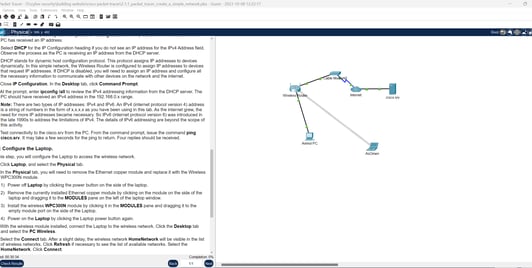
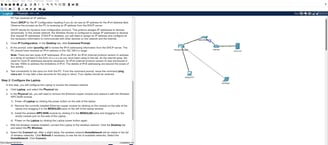
In this Packet Tracer activity, I completed the following objectives:
Part 1: Build a Simple Network
Part 2: Configure the End Devices and Verify Connectivity
Course 2 - Exploring Networking with Cisco Packet Tracer
Create Realistic Structured Cabling in the Physical Workspace and Cabling Devices in a Rack
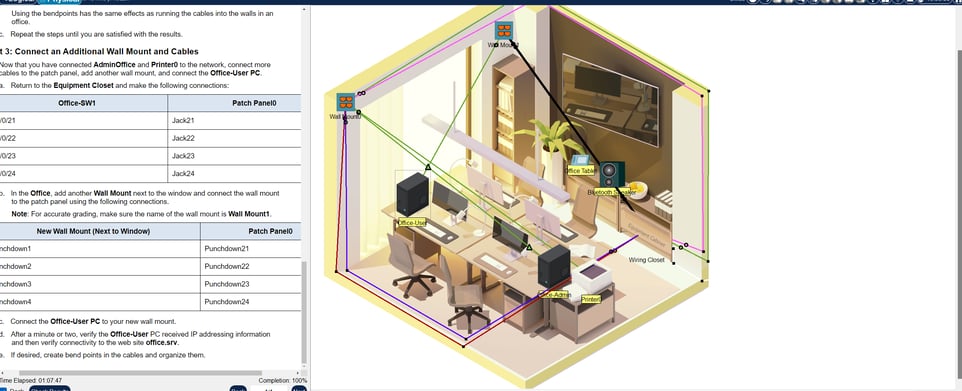
In this Packet Tracer activity, I completed the following objectives:
Part 1: Install a Patch Panel in the Wiring Closet
Part 2: Attach a Wall Mount in the Office
Part 3: Connect an Additional Wall Mount and Cables
Packet Tracer - Explore Device Configuration Using the CLI (console)
In this Packet Tracer activity, I completed the following objectives:
Part 1: Connect to the Device Using a Console Connection
Part 2: Copy Configuration Information to the Device
Part 3: Save the Updated Configuration to the Device
Packet Tracer - Examine Packets in the Small
Office
In this Packet Tracer activity, I completed the following objectives:
Part 1: Create a Simple PDU in Simulation Mode
Part 2: View Contents of PDUs
Part 3: Create a Complex PDU in Simulation Mode
2.0.7 Packet Tracer - Edit Topologies
In this Packet Tracer activity, I completed the following objectives: (Need to pratice again and upload a video).
Part 1: Add an Additional Switch to the Rack in the Office Network
Part 2: Connect a PC to the Office Network
Part 3: Work with Clusters
Part 4: Add a Second Home Cluster to the Network
2.1.3 Packet Tracer - Monitor Your Network Using a Network Controller
In this Packet Tracer activity, I completed the following objectives:
Part 1: Implement a Network Controller
Part 2: Monitor the Network
2.1.5 Packet Tracer - Manage and Configure your Network using a Network Controller
In this Packet Tracer activity, I completed the following objectives:
Part 1: Implement a Network Controller
Part 2: Device Discovery
Part 3: Add a New Network Device in the Office Network
2.2.1 Packet Tracer Tutored Activity - Troubleshoot a Wireless Connection
This Packet Tracer Tutored Activity (PTTA) has features that provide hints throughout the activity, at the level that you specify. You can practice your troubleshooting skills with minimal or as much guidance as you need.
In this activity, you I troubleshoot a wireless connection.
Course 2nd completed on October 12,2023.
Course 3 Exploring Internet of Things with Cisco Packet Tracer
1.1.3 Packet Tracer - Add IoT Devices in PT
In this Packet Tracer activity, I completed the following objectives:
Part 1: Explore the Existing Smart Home Network
Part 2: Add Wireless IoT Devices to the Smart Home Network
Part 3: Add Wired IoT Devices to the Smart Home Network